
No Buy Challenge Rules: The Copy-Ready Rulebook
No buy challenge rules work when they spell out exactly what counts as a violation. This rulebook gives you the rules, a banned-category list, a pre-agreed exception list and a 30-day calendar, so the 10 seconds before checkout stop being a coin flip.
Disclosure: Luuna is our app. We say plainly what it does today, what it doesn't, and what's on our roadmap.
What is the no buy challenge?
A no buy challenge is a set period, usually one month, where you stop buying in the two or three categories where your impulse orders cluster: the DoorDash order at 10pm, the one-tap Amazon reorder you didn't plan. Those wait until the month ends. Essentials like groceries, rent, bills and refills of things you already use stay allowed. The trend spread through social media, with people sharing their rules and weekly check-ins.
It works for impulse shoppers because it's binary: before checkout, you decide whether this purchase is on the list. That pause before you pay is the whole mechanism. For how that idea shapes our own app, see what Luuna is.
What are the core no buy challenge rules?
Rule 1: pick your duration before day one
Thirty days is the standard because it covers four weekends and usually at least one payday, the riskiest windows for one-tap orders. Seven-day trials work as practice runs, though they end before the streak starts to feel worth protecting. Pick the number, write it down, and keep it for the whole month.
Rule 2: define a violation precisely
Vague rules are how challenges fall apart in week two. A violation is any purchase in one of your banned categories (you'll pick them below) completed at checkout, and one-tap orders count the same as any other buy. A DoorDash order placed at 11:50pm is a violation even if you cancel it an hour later, because the habit fired. Subscriptions count too: a free trial you forget to cancel becomes a violation the day it bills. Adding an item to your cart without paying is allowed, but it goes in your log.
Rule 3: log every close call
The close call is where the challenge is actually won. Every time you open the Amazon app, get to checkout and back out, write it down: what you almost bought, the price, and what triggered it. A week of close calls usually shows that your impulse buys cluster around two or three moments, often boredom or a notification. A budgeting app that reports after the fact can't show you that pattern, because by the time it updates, the purchase is already made. Help that arrives at the checkout moment fills that gap: it puts the number in front of you in those 10 seconds, so the streak survives on nights when willpower doesn't.
What exceptions should a no buy challenge allow?
Write your exceptions down before day one. A rule with no defined exceptions breaks the first time you genuinely need something, and it's easy to quit the whole challenge over one order when amending one rule would have saved it.
Essentials vs replacements
Essentials are consumables you'd buy anyway: groceries, toiletries, medication, gas, transit. A replacement is different: your headphones break, so you “need” new ones. Treat replacements as violations by default, with one carve-out: if it blocks work, health or safety, buy the cheapest option that solves the problem and log it. Everything else waits until the month ends.
The pre-agreed exception list
Before the challenge starts, write a short list: one planned purchase per week, capped at a dollar amount you set, plus a single get-out purchase for the whole month, with no carryover. Keep the list somewhere you'll see it at checkout, like your lock screen or a sticky note on your laptop.
How do you build a no buy challenge list of banned categories?
Ban the categories where your one-tap orders actually cluster. Pull your last month of Amazon, Walmart, Target, DoorDash and Uber Eats order history, group it, and the two or three heaviest buckets become your banned categories. Everything else stays allowed, which keeps the challenge finishable.
Start with your last month of one-tap orders
Count orders before you count dollars. Ten $12 DoorDash orders add up to $120 and do more damage to your streak than one $90 Walmart run, because impulse is a frequency problem. If a category shows up five or more times in a month, it goes on the banned list. A monthly plan helps you decide where your money should go, but the plan isn't on screen when you're at checkout.
Sample banned-category list
An illustrative list. Adjust it to your own order history.
| Category | Status | Rule |
|---|---|---|
| Food delivery | Banned | Zero orders beyond the meals you planned |
| Amazon impulse buys | Banned | A real need sits in the cart for 48 hours, then uses your weekly planned purchase |
| Groceries | Allowed | Essentials only |
| Rides and transit | Allowed | As needed |
| Subscriptions | Banned | No new ones; cancel one you don't use |
Three banned categories is the sweet spot. Add more and the challenge gets hard to finish by week two.
How do you use a no buy challenge calendar to track your month?
A calendar turns a vague promise into a streak you can see. Print one page, mark each day and check in once a week. That's the whole system.
The 30-day grid
Draw a grid with 30 rows, one per day, and three columns: pass, violation or exception. Mark it the same night, before you forget. A pass is a day with no banned purchases; essentials like groceries and gas still count as passes. A violation is any banned category you bought anyway. An exception is a day you used your weekly planned purchase or your one get-out purchase, so it doesn't count against your streak.
Week one is usually clean. Week two is where autopilot orders from Amazon or DoorDash sneak in, so add a note column that week: what you almost bought and what triggered it.
The note column matters in week two because autopilot orders are triggered more than they're decided. A notification, a boring evening or a “free delivery” banner starts the order, and the reasons come afterward. When you write the trigger next to each close call, you'll usually find the same two or three triggers behind most of your slips. That turns a vague willpower problem into a short list of moments to defend, and defending a few known moments for the rest of the month is far easier than resisting every temptation as it appears.
Weekly checkpoint questions
Every Sunday, answer four questions in writing: How many passes? Which category tempted me most? Did any exception drift into a violation? What one rule change keeps me finishing the month?
Is there a free no buy challenge app?
You can run the whole month for free with a printed calendar and a notes app. When it comes to apps, most finance tools track what you already spent. A MacRumors thread puts it plainly: they're “only any use at showing you what you've spent after you've spent it.” For a no buy challenge, the help you want shows up in the 10 seconds before checkout.
Blockers vs friction at checkout
Blocking works up to a point. Deleting DoorDash or Amazon from your phone is the free version. The weakness of a block on its own is that it's all-or-nothing: one legitimate need, like a Walmart order you actually have to place, and the wall tends to come down for good.
Where Luuna fits, and where it falls short today
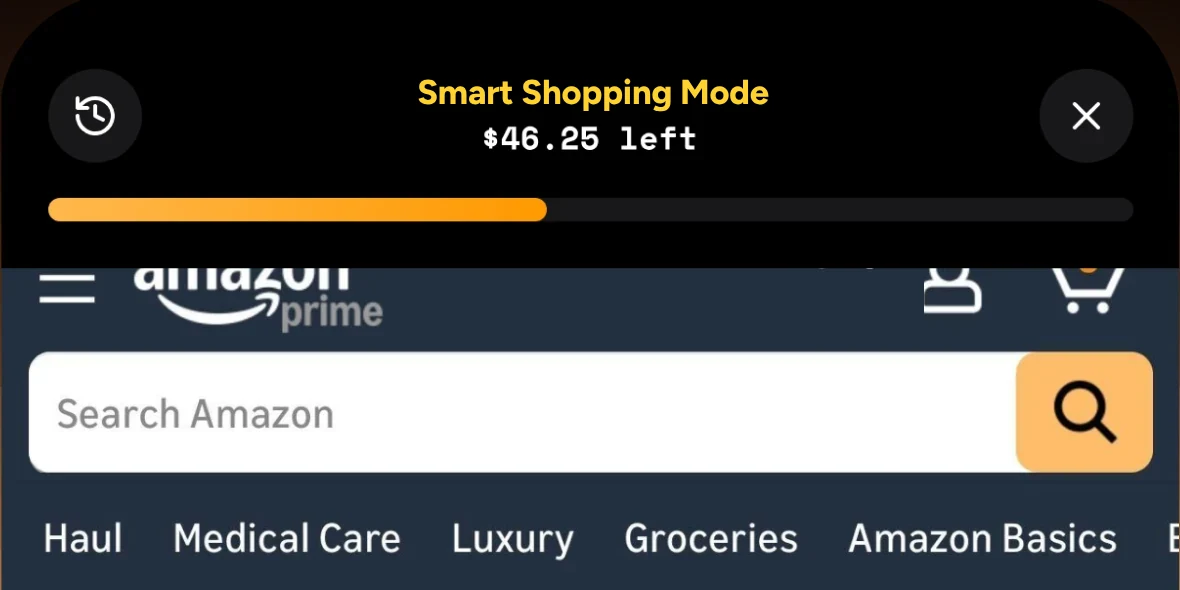
Luuna is a money coach at checkout, and it's free on iPhone while it's in beta. You give each store a weekly budget, then shop Amazon, Walmart, Target, Uber Eats and DoorDash inside its Smart Shopping Mode, with what's left of your week pinned above the page. You don't type in purchases: it checks each order against that store's budget before you pay.
At checkout, Luuna steps in with a “Hold on…” screen that shows where the order leaves your week. You can tap “I'll think about it” or continue, so that call stays yours. Your streak of weeks under budget shows up on Home, which fits a no buy month well. If you want a harder line, Luuna can also lock the shopping apps themselves, but only if you ask it to.
Here's what Luuna doesn't do yet:
- Purchases outside Smart Shopping Mode only count if you connect a bank, which is optional. On the roadmap: Apple Pay taps in stores and order-confirmation emails.
- Subscriptions and bills aren't covered. On the roadmap: catching forgotten recurring charges.
- App locks cover up to three stores on Core. Max covers every store Luuna supports.
- iPhone only. There's no Android version.
What no buy challenge ideas keep you motivated past week two?
Week two is where a lot of no buy challenges stall. The novelty is gone, the first paycheck has landed, and one-tap ordering feels normal again. Three mechanics help carry you through: streaks, an accountability partner, and a replacement habit for the 10 seconds before checkout.
Streak mechanics
Count days clean as your main score. A “day 14” note on your phone is something you'll want to protect, while a savings estimate is easy to ignore. If you break a streak, start the count again the next day and keep the month going.
The accountability partner
Pick one person and tell them your banned categories and your streak goal. Agree on a weekly check-in, every Sunday alongside your checkpoint questions, with no judgment, just the numbers. Knowing someone will see your streak is often enough to make you pause at checkout.
On Max, Luuna can bring that person in: they get a heads-up text when you're close to your weekly budget and can unlock a purchase once a store's week is spent. Luuna doesn't text them until they reply YES, and they can text STOP anytime.
The replacement habit
When the urge hits, open your streak count before you open the shopping app. Seeing “day 11” in front of you is often enough to close the app and let the moment pass.
FAQ
Can I buy gifts during a no buy challenge?
If a gift falls in one of your banned categories, like an Amazon order, it counts as a violation by default. If a birthday or event lands inside your month, use your pre-agreed exception list: either your one planned purchase for that week or your single get-out purchase, capped at the dollar amount you set. Gifts you forgot to plan for wait until the month ends.
What happens if I break my no buy challenge on day 6? Do I start over?
No. Log it as a violation, mark day 6 in your calendar grid and start a new streak the next day. The month keeps going. Quitting over one order is how a lot of challenges end in week two, and one slip is a reason to rebuild the streak, nothing more.
Is a no buy challenge the same as a spending freeze?
Not quite. A spending freeze usually bans all discretionary spending with few defined exceptions, which is why it tends to break the first time something legitimate comes up. A no buy challenge is narrower and easier to finish: essentials stay allowed, you write a short exception list before day one, and you ban only the two or three categories where your impulse orders actually cluster.
How much money can you save in a 30-day no buy challenge?
It depends entirely on your banned categories and how often you order, so count what your own history says. Pull last month's orders and look at your heaviest impulse category: ten $12 delivery orders in a month is $120 you stop spending. Keep days clean as your main score, though, because the streak is what keeps the month alive.
Do groceries and gas count as allowed purchases?
Yes. Essentials like groceries, gas, toiletries, medication and transit are allowed, so they count as passes in your calendar grid. The line to watch is drift: a grocery run that adds a $40 impulse item from a banned category is a violation on that item. Essentials only means the consumables you'd have bought anyway.
Try Luuna free while it's in beta. Give the stores you shop a weekly budget and see where each order leaves you before you pay.
Get early access